How to Redeem Roblox High School 2 Codes
Find the present icon, open Promo Codes, and claim rewards without wasting attempts on typos.
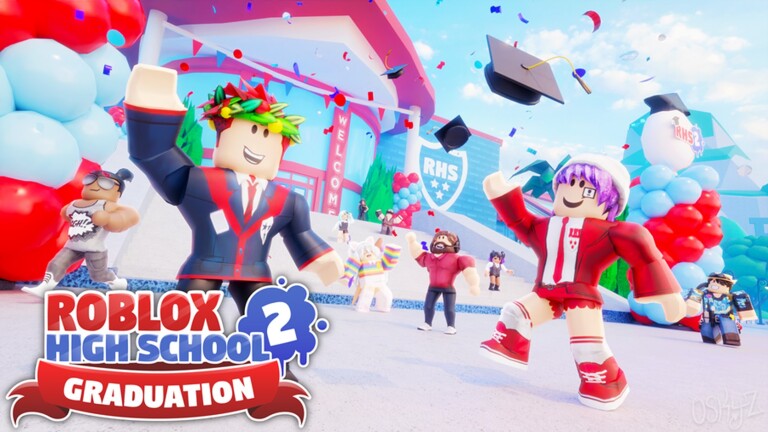
Before you redeem
Codes only work inside Roblox High School 2 — the Starcadia Bay life sim published by Roblox High School: Fan Club / Cinder Studio. They do not redeem on the Legacy high school place used for The Hunt, and they are not Roblox website gift cards. Load the modern experience (place 2098516465), wait until your character spawns in town or on campus, then use the in-game HUD.
Have your code ready on a second screen or clipboard. Start with the best-documented active string from the Codes Hub: RHS2DISCORD for the Blurple vehicle skin. Older candidates such as HOLIDAY22, GHOSTHUNT, ONTHEGRIND, and RHS2ad should be tried only after you understand the UI path below, and you should expect many of them to fail.
Step-by-step redeem path
1. Launch the correct place
Open Roblox, search Roblox High School 2, and join a public server. Avoid private test places or lookalike “high school” experiences with different creators. If you landed in Roblox High School [Legacy] for The Hunt event, leave and join RHS2 separately — Legacy does not share this promo panel.
2. Find the gift / present icon
On the right side of the screen, look for the present / gift icon. It sits with the other utility buttons rather than inside the iCinder phone. On smaller screens or scaled UI, the icon can sit lower; scroll the side rail if your device crops it.
If you cannot see it:
- Wait a few more seconds for UI scripts to finish loading.
- Toggle fullscreen / windowed once in case the HUD clipped.
- Rejoin the server — a soft UI failure after a long session is common in older experiences.
3. Open Promo Codes
Click the present icon. A rewards panel opens with freebies and promotions. Select Promo Codes (wording may appear as a dedicated button inside that panel).
4. Enter the code exactly
Type or paste into the Enter Text Here (or similar) field. Then click Submit.
Best practices:
- Paste instead of retyping when possible.
- Remove leading or trailing spaces from chat copies.
- Keep letters and numbers exactly as published (
RHS2DISCORD, notRHS 2 DISCORD). - Try the alternate casing if a list shows
RHS2adversusRHS2AD— some trackers disagree on capitalization even when the game is case-insensitive.
5. Confirm the reward
A successful redeem usually shows a confirmation message. For RHS2DISCORD, open your vehicle customization / skins list and confirm the Blurple skin unlocked. Credit or gem codes should bump the counters on your HUD or phone wallet. Boost codes (such as a job credits boost) should show an active timer or status effect.
If nothing appears after ten to twenty seconds, leave and rejoin once, then check inventories again before retrying. Do not hammer Submit — repeated fails on a valid one-time code can make you think it never worked when it already consumed on the first success.
Troubleshooting when a code fails
| Message / symptom | What to try |
|---|---|
| Invalid / unknown code | Typo, wrong game, or never-real string. Compare against the Codes Hub. |
| Expired / already ended | Move on. Archive it mentally and check expired codes. |
| Already redeemed | You claimed it on this account earlier. Codes are typically one redeem per player. |
| No present icon | UI not loaded, wrong place, or temporary client glitch — rejoin RHS2. |
| Success toast but no item | Soft refresh: rejoin, then inspect vehicle skins / currency again. |
| Works for friends, not you | Rare account-side delay; wait, rejoin, avoid VPN weirdness, try once more. |
Never “fix” a failed code by downloading a script, executor, or third-party redeem website. Those paths are scams or ToS violations. Legitimate RHS2 redemption stays inside the present → Promo Codes flow.
Redeem habits that save time
- Verify in-game first. Wiki pages and YouTube thumbnails lag. The HUD is the source of truth.
- Redeem early. Even when development is quiet, a surviving code can still be retired without a blog post.
- Separate currencies from cosmetics. Know whether you expected Credits, Gems, a boost, or a skin so you check the right menu.
- Pair codes with progression. A Blurple skin looks better on a vehicle you actually earned; follow the make money guide for Credits and Gems through classes, jobs, stars, and chests.
- New players: finish the first-hour loop in Getting Started so you know where wallets, phones, and inventories live before hunting promos.
Codes versus event rewards
Do not confuse promo codes with The Hunt: Roblox 20 rewards. The Time Travel Schoolpack and Chuck’s Savior badge come from completing the Legacy questline, then claiming in the Hunt hub — not from typing a string into Promo Codes. If you are hunting that UGC item, use the Hunt / Chuck’s Savior walkthrough instead.
After a successful redeem
- Screenshot the confirmation if you track your inventory for trading or collecting.
- Apply vehicle skins at the relevant customization NPC / menu when you own a car.
- Spend Credits thoughtfully on a starter house and furniture rather than impulse potions.
- Return to the Codes Hub later for status changes, and skim expired codes so dead strings stop cluttering your clipboard.
Redeeming takes under a minute once you know the present icon. The hard part is discipline: only trust codes you can verify yourself, keep expectations modest in a maintenance-mode game, and invest the rest of your session into school, jobs, and exploring Starcadia Bay.
Frequently Asked Questions
Quick answers for Roblox High School players.
Where is the Roblox High School 2 code menu?
Click the gift or present icon on the right side of the HUD, then open Promo Codes. Enter the string and press Submit. It is not inside the iCinder phone apps list.
Can I redeem codes in Roblox High School Legacy?
No. Promo codes described here are for Roblox High School 2. Legacy is a separate place used for events such as The Hunt: Roblox 20.
What if Submit says the code is invalid?
Check spelling and spaces, confirm you are in RHS2, and compare against the Codes Hub. If it still fails, the code is likely expired or was never active for your account.
Do I need Roblox Premium to redeem RHS2 codes?
Promo codes do not require Premium. You only need access to Roblox High School 2 and the present / Promo Codes UI.
I redeemed RHS2DISCORD but do not see Blurple.
Rejoin the server and open vehicle skin customization. If the success message appeared, the unlock is usually account-bound and simply needs a UI refresh.
Is it safe to use websites that redeem codes for me?
No. Only redeem inside the game. Third-party redeem sites that ask for your password or cookie are phishing attempts.